• Skip to primary navigation
  • Skip to main content
Black Creek Signs

Black Creek Signs

  • BLOG
  • ABOUT US
  • OUR STORY
  • PORTFOLIO
  • PRODUCTS
  • SPECIALS
  • CONTACT US
  • MY ACCOUNT
You are here: Home / BLOG

Printer Ink Technology

June 23, 2025

We want to define the various printing ink technologies and how they affect your signage projects. Ink technology has changed extensively over the past 20 years for large format inkjet printers and the sign industry. We’re deliberately omitting discussion of digital printers, those that are laser class or use heat thermo technologies.

Back in the day, signs were either painted using pounce patterns and enamel paints, or using an aqueous ink printer that created poster prints when could then be adhered to sign faces like wallpaper, using a paste roll-on glue.

Modern signs are now created with either direct print to substrates or vinyl prints with UV over-laminates.

This is where the rubber meets the road with ink technologies. There are three unique technologies used by sign companies, with most having all three capabilities. The three we’ll discuss are UV (ultra-violet) ink, eco-solvent ink, and aqueous ink technologies.
UV Ink Technology

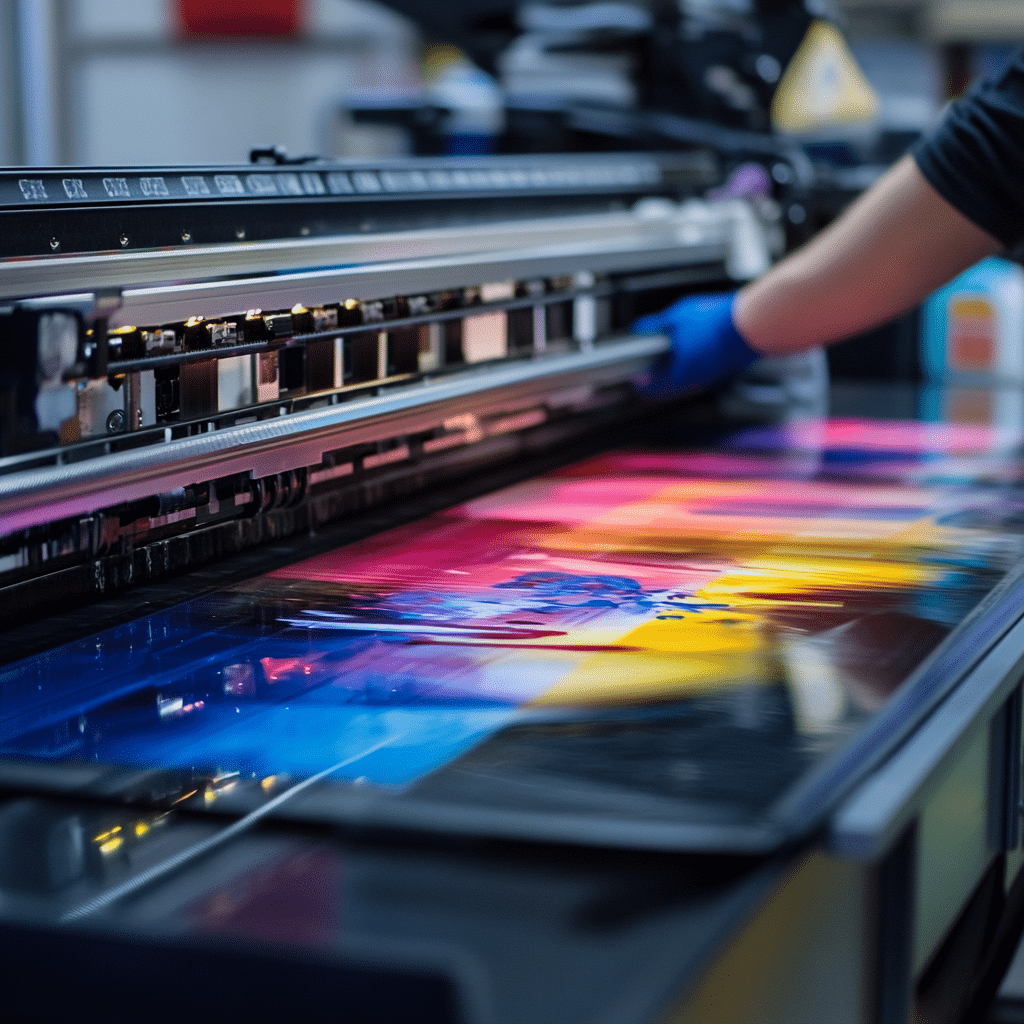
Let’s dive into UV ink technology first. Printing equipment using UV ink is primarily designed for direct print to substrates like coroplast, aluminum, DiBond, acrylic, and even certain roll products.

What makes this technology unique is its curing capability. What many don’t realize is that this ink does not dry, it’s cured, using high intensity UV lamps that molecularly change the ink from a liquid to a solid.

You can think of it on a microscopic level: the ink droplet is exposed to the UV light and the structure creates a spiked molecule in which the molecules bond to each other and to the material it’s cured on. Curing is an instantaneous reaction. The print is safe and solid to the touch once exposed to the UV lamps.

Eco-Solvent Ink Technology

The second ink technology is eco-solvent. It’s complex and used primarily on products like wrap vinyl, decals, banners, and other types of roll materials.

The principle behind this technology is based on the solid color pigments suspended in a solvent to make it possible to flow micro-picoliter inkjet droplets.

Eco-solvent printers use three separate heaters: first, a pre-heat that warms the media in order to open the pores of the material being printed on; the second heater is the platen heater, which is warmer than the pre-heat, and further opens the pores in the material to receive the solid color pigment and embed those solid particles; the third heater is the dryer heater, which is usually considerably hotter than the other two heaters that assist in flashing off the solvent, leaving just the solid pigment on the material.

Aqueous Ink Technology

The third ink is the one most anyone with a home color printer has: those printers use aqueous ink.

Aqueous ink produces a more finite dot, as compared to the previous two ink technologies. Aqueous inks allow you to generate truly photo-realistic prints.

The paper that’s used is the key, as it has a coating to receive the ink and bond, instead of staying liquid. You see commercial usage of aqueous prints in things like movie theater posters, or for high-end event signage on stanchion frames.

Aqueous ink technology excels at photo realistic results. Its only downside? It’s just not optimal for use outdoors. Lamination will keep it dry and partly protected, but humidity or sun exposure will degrade the ink rapidly, starting with magenta.

Recommendations

At Black Creek Signs, we’ve used many varieties of each of these ink technologies over the years.

  1. Aqueous ink is perfect for high-end large format printing or anything you want to keep and display indoors, or put in a file cabinet.
  2. If you want a vehicle wrap or decals, go with eco-solvent ink.
  3. If you can get direct print rigid substrates like coroplast or aluminum, UV ink is the way to go.

If you found this post interesting and wanting more details, please contact us anytime.

Sign of the Month!

June 5, 2025

Sign of the Month is a new blog series for Black Creek Signs, and one we hope you’ll find fun to read. We plan to spotlight some of the most remarkable sign projects we’ve seen. The criteria for this series are projects with amazing design and brilliant execution.

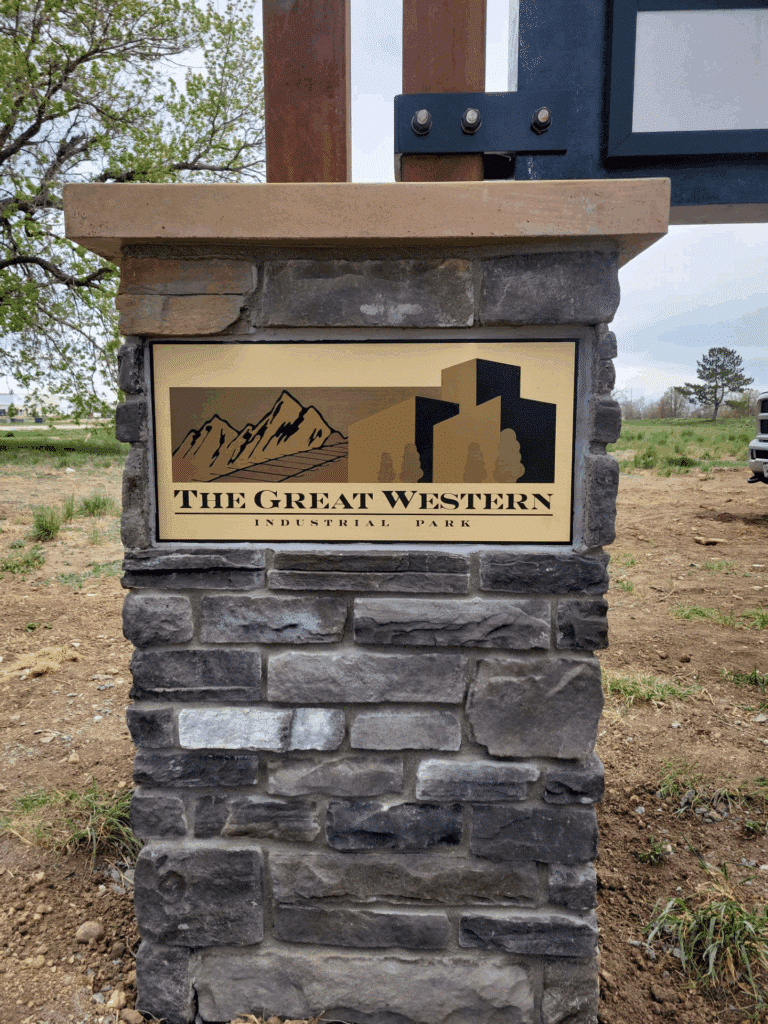
This first post for our Sign of the Month feature credits DaVinci Sign Systems Inc. for their stunning sign contribution. DaVinci Sign Systems Inc. creatively designed, manufactured, and installed one of the most attractive pylon signs we’ve seen in a very long time.

The sign evokes a feeling of rustic elegance, by featuring natural materials like wood, stone, and metal, paired with soft, luxurious textiles, and tasteful accents.

We think this sign stands out for several reasons, and is worth a closer look. Let’s get to it:

The simple appearance is actually complex to fabricate.

The foundation of this installation is concrete with mortared stone.

The vertical beams are mounted to the foundation and attached to the horizontal beam with custom steel brackets.

The pylon face is also mounted to the beams with custom steel brackets bolted to the beams, strategically placed to create a minimalist appearance.

The sign face appears to be a brushed gold aluminum composite material with the image directly printed using a UV ink flatbed printer. The combination of elements bring this sign together perfectly.

If you’re looking to having a unique sign fabricated and installed in the state of Colorado, DaVinci Sign Systems Inc. is your solution.

If you have a sign project you’d like to submit for this feature, please contact us.

Color Reproduction Tips

May 27, 2025

Have you ever asked yourself, “Self, how come the image color on my print, doesn’t match what my screen displays”?

Color management is the key, and it makes a huge difference as to how your screen dreams become reliably predictable in print production.

If you’ve ever scrolled through your monitor settings, whether you use a PC or a Mac, there’s a section that allows you set your rendering intent using ICC color profiles. Some computers and operating systems have a self-calibration function located in your “Display settings,” “Color settings,” etc.

This is where you can choose your rendering intent, as most monitors don’t have the ability to reflect accurate color reproduction on print media without a color profile that closely matches an ICC standard. Without them, you can’t accurately render color in the color space that all printed materials use — i.e., viewing RGB monitor colors compared to the CMYK+ printing ink color space.

Monitor calibrations can be done using some simple tools and color profiling. Anyone who operates commercial printing equipment has created custom color profiles to accurately render color intent for production. If you create a custom monitor ICC profile, you’ll find that your monitor will properly display what a print product will actually end up looking like.

Let’s move on to another color control point.

Say you’re designing a product with a photograph that was taken with a cell phone camera, and the image looks . . . flat. Or maybe the lighting was just unfavorable.

There are a few cool things you can do to the image to bring it back to life and go from dull to vibrant with contrast.

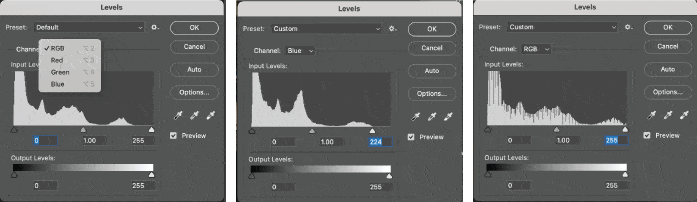
All photos captured by cameras or scanning devices are primarily RGB color mode. This mode offers the easiest color manipulation. My favorite corrections are made using Photoshop’s “Levels.” Levels displays what looks like a sound wave but is actually called a histogram. This is an example of a histogram:

You want to toggle from color to color, using the sliders to bring the points to the edge of the histogram. Sometimes it’s the highlights, or the shadow side of the histogram, or both. Once the sliders are properly set, you can toggle back to all RGB colors and you’ll notice that the histogram has filled the whole area. By selecting and adjusting each color vs. all three at once, you can correct grey balance. Brightness and contrast can be adjusted by using the center slider.

If you don’t have Photoshop, there are other methods for correcting color. The point is to recognize how your monitor displays a color vs. what the color will look like when printed to a CMYK+ inkjet printer or printing press.

We’re happy to delve into more details on this topic, or any other topics in this blog. Any questions, please contact us.

  • Page 1
  • Page 2
  • Go to Next Page »

Black Creek Signs

Copyright © 2026 by Black Creek Signs · All Rights Reserved.

  • PRIVACY POLICY
×
1
Product selection
2
Contact information
3
Review information